No Ads · No Limits · Completely Free
Delphi YouTube Downloader
Download any YouTube video or audio in up to 8K quality. No advertisements, no restrictions, and completely free — forever.
Version 1.3 — 16 August 2026
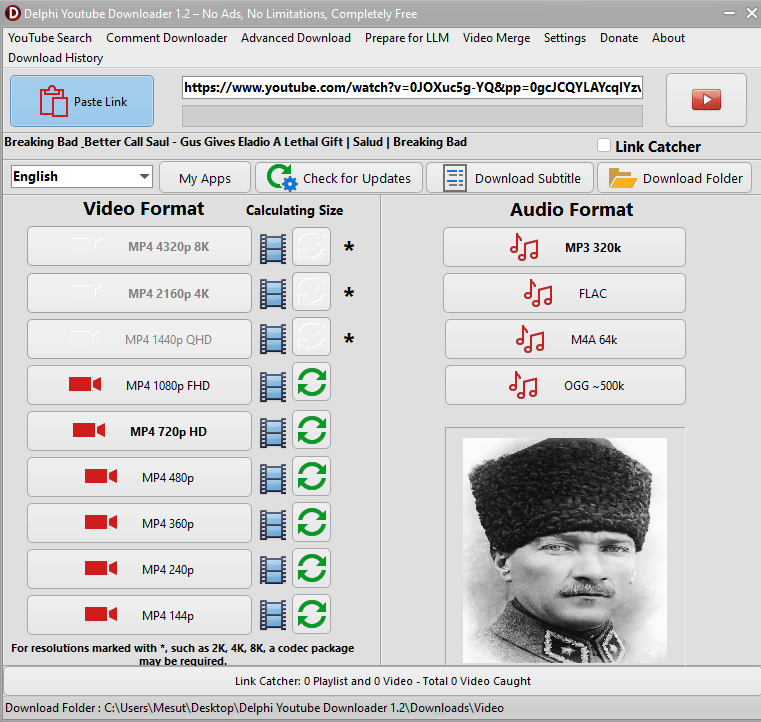
Download any YouTube video or audio in up to 8K quality. No advertisements, no restrictions, and completely free — forever.
Fresh improvements in the latest release — 16 August 2026.
Interface now available in English, Turkish, Russian, Arabic, German and Chinese.
New approval dialog shows the video count and warns before loading playlists with 100+ videos.
Export/import captured links as JSON, automatic duplicate detection and delete selected nodes.
Copied YouTube URLs are automatically added to the search download queue.
List a video's audio tracks with language names and Original/Dubbed tags — download the Turkish or English audio of multi-dub videos.
Built with passion, powered by yt-dlp and ffmpeg.
Clean, distraction-free experience. No third-party advertisements, no banners, no sponsored content.
Download as many videos as you want. No daily limits, no speed throttling, no restricted content.
Every feature is free forever. No premium tiers, no hidden payments, no subscriptions required.
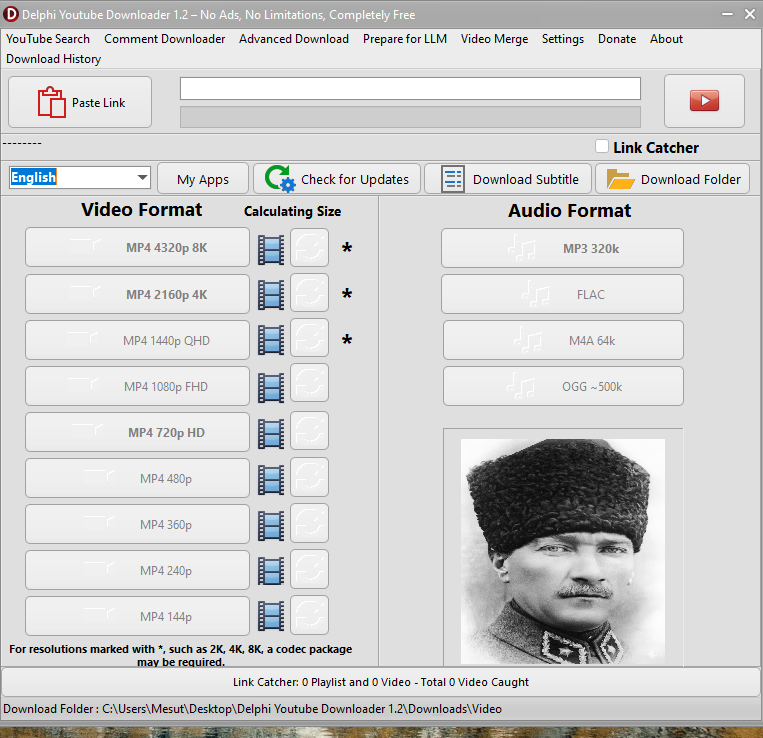
From 144p to stunning 8K — every resolution at your fingertips.
Supported Formats: MP4, WebM, MKV, MOV, AVI, FLV
Codec configuration for 4K/8K and 1080p available in Settings.
Size calculation available for every resolution and format.
High-quality audio extraction in your preferred format.
MP3 (MPEG Audio Layer 3) — Works on every device. Adjustable bitrate for quality/size balance.
FLAC (Free Lossless Audio Codec) — Perfect quality, identical to the original stream. Best for archiving.
M4A (MPEG-4 Audio) — Optimized for Apple devices. High quality with smaller file sizes.
OGG Vorbis — Fully open, patent-free format. Excellent quality at lower bitrates.
Quality settings (bitrate/compression) available for each format.
Search YouTube, manage playlists, and batch download.
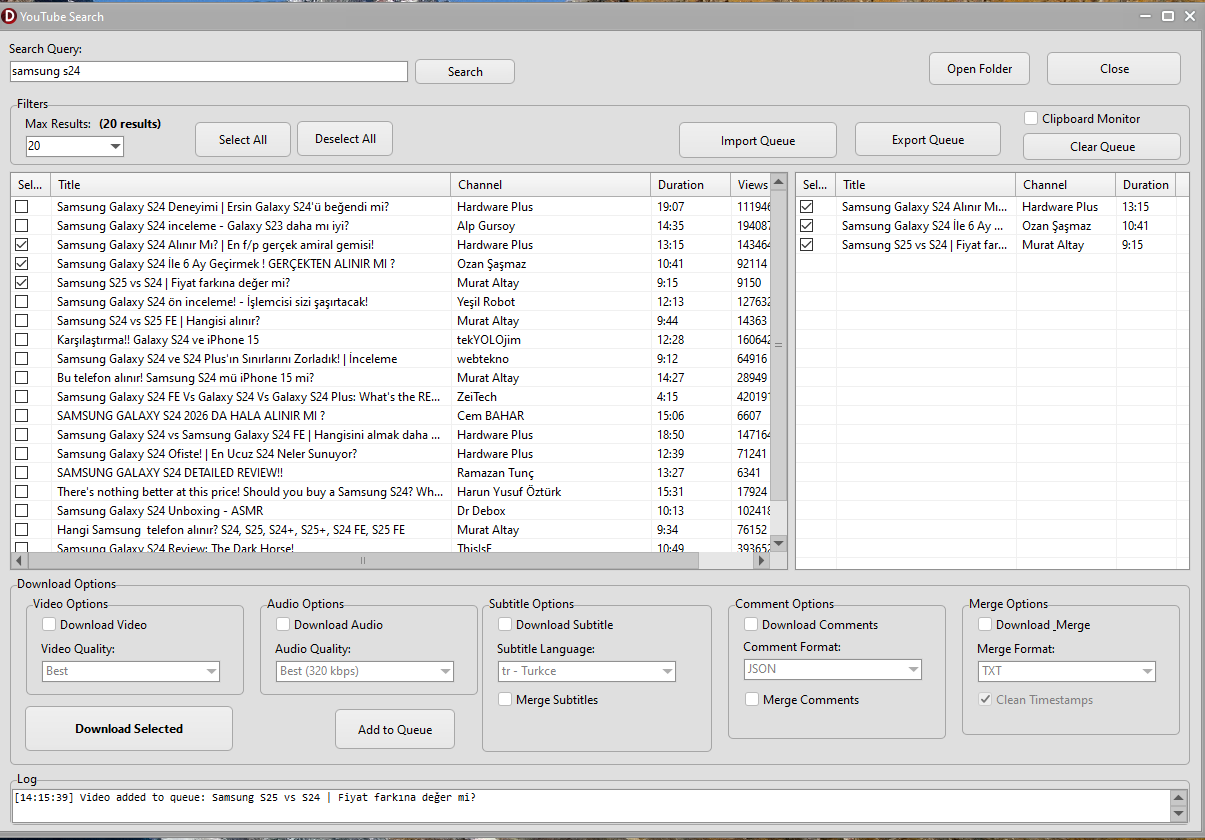
Built-in YouTube Search with rich results (title, channel, duration, views, date).
Queue Management — add, remove, save & load download queues.
Playlist Download — select individual videos or download all at once.
Batch audio conversion (MP3/FLAC/M4A/OGG) for entire playlists.
Subtitles and comments in every format you need.
9 Subtitle Formats: SRT, VTT, ASS, SSA, TTML, DFXP, SBV, LRC, STL
4 Comment Formats: JSON, Markdown, TXT, CSV
Multi-language subtitle download.
Exports author, likes, reply count, dates, and includes video transcript.
ChatBot-ready subtitle export (clean, no timestamps).
Download subtitles and comments from multiple videos on the same topic. Merge them into a single file, then feed to ChatGPT, Gemini, or Claude for instant analysis.
Example: "What will happen to the economy?" — Download subtitles+comments from 10 economists. Merge & ask AI for a summary. No need to watch hours of video.
Example: Product research — Collect subtitles and comments from 20 review videos. Ask AI "Which one is best?" and get the answer in seconds.
Professional-grade features for power users.
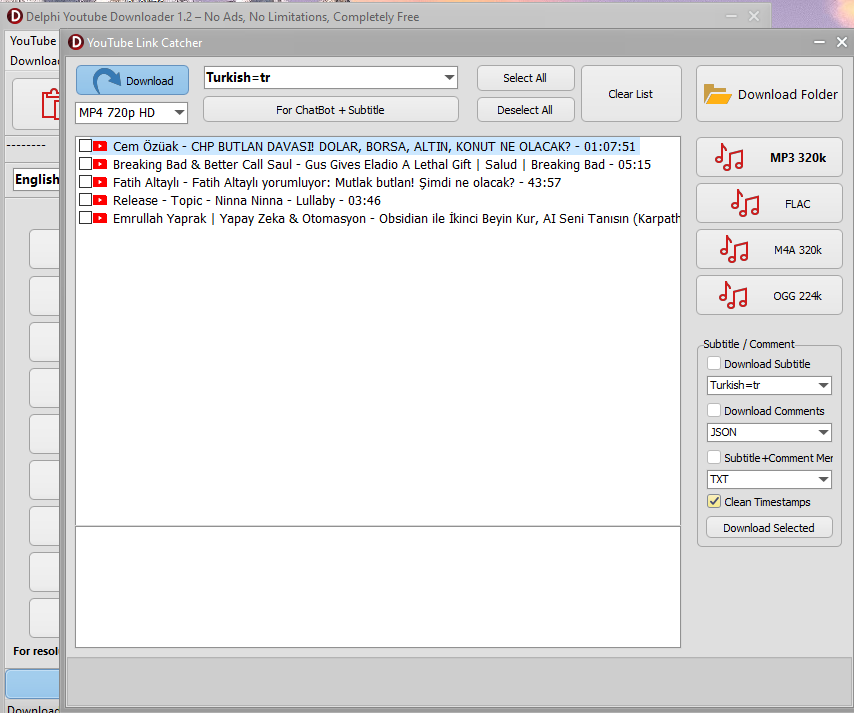
Automatically monitors clipboard for YouTube URLs. Captures playlists and individual videos with tree-view organization. New in v1.3: JSON export/import and duplicate detection.
Merge video + subtitles, video + audio, or extract segments. Audio cleaning with denoise, normalize, bass boost, declip.
Merge multiple subtitle/text files into one for LLM/ChatBot training. Split into parts, include file names, Markdown export.
Select multi-language audio tracks (original/dubbed), subtitle tracks, and time ranges. Video with embedded subtitles or audio-only output.
Time Range Support: Download only a specific section of a video (e.g. 2:30–10:15) using the start/end time controls.
Watch YouTube videos directly inside the application with embedded player.
Resolutions
Formats
Features
Free Forever
Delphi YouTube Downloader side by side with popular downloaders.
| Feature | Delphi YouTube Downloader | 4K Video Downloader | ByClick | YTD | Freemake | ClipGrab |
|---|---|---|---|---|---|---|
| Completely free | ||||||
| No ads, no daily limits | ||||||
| 8K (4320p) video download | ||||||
| Playlist / batch download | ||||||
| Audio extraction — MP3, FLAC, M4A, OGG | ||||||
| Multi-language audio tracks (dubbing) | ||||||
| Subtitle download | ||||||
| Comment download (4 formats) | ||||||
| Built-in YouTube search | ||||||
| Clipboard monitoring (Link Catcher) | ||||||
| Video merge + audio cleaning | ||||||
| LLM / AI preparation | ||||||
| Built-in player + download history | ||||||
| Proxy + cookie support | ||||||
| Multi-language interface |
Based on publicly available information as of August 2026. Product names are trademarks of their respective owners; features may change over time.
Step-by-step guides for the most powerful features.
The real power: download subtitles + comments from multiple videos, merge them, and let AI do the analysis.
Scenario: You wonder "What will happen to the Turkish economy?" -> Gather 10 economist videos -> Merge their subtitles+comments -> Ask AI for analysis. Result: a comprehensive answer in 2 minutes, not 10 hours of watching.
Full control over every aspect of the downloader.
Custom Download Paths — separate folders for Video, Audio, Subtitle, Search, Playlist, Comments, ChatBot, and Data.
Video Codec Selection — choose codec for 4K/8K and 1080p downloads independently.
Audio Quality Settings — MP3 bitrate, FLAC compression, M4A quality, OGG quality.
Default Container Format — set your preferred video container (MP4, MKV, etc.).
Proxy Support — HTTP/HTTPS proxy with URL configuration.
Cookie Support — import cookies from browser for restricted content.
Speed Limit — throttle download speed when needed.
Reset to Defaults — one-click restore of all settings.
Little things that make a big difference.
16 August 2026 — Download from Pixeldrain or Mediafire
Download History with search, date filter, status filter, re-download and open folder.
Built-in YouTube Player to preview videos before downloading.
yt-dlp Auto-Update — keep the engine up to date with one click.
Metadata & Cover Art — track info and cover art embedded in audio downloads.
Full interface in English, Turkish, Russian, Arabic, German and Chinese. Switch anytime.
Support Development — Binance and other donation options.
Other Apps by Developer — discover more tools with QR codes.
Atatürk Resources — curated library of educational links and prompts.
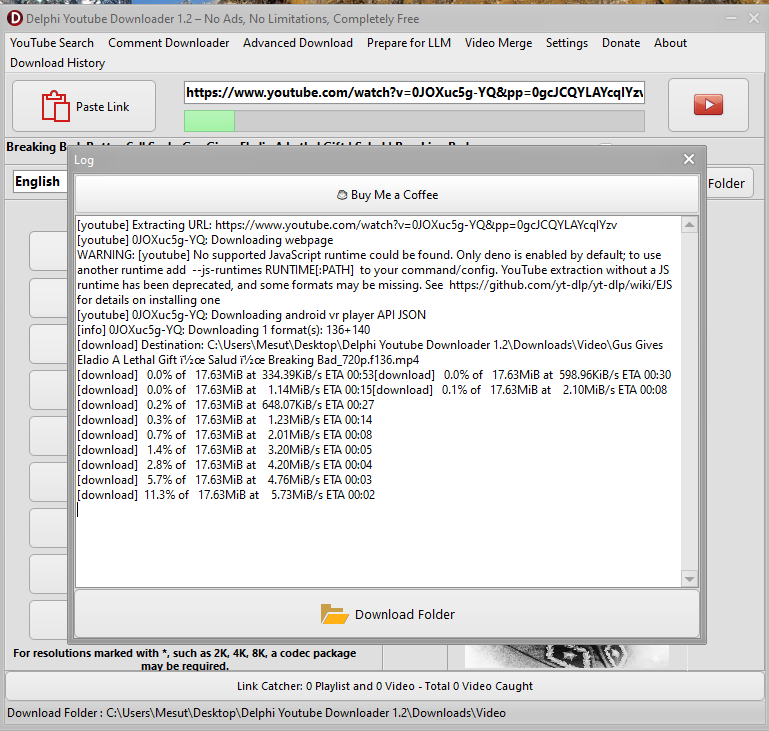
Real-time download log with detailed progress information.
A quick look at the application in action.
The simple workflow behind powerful downloads.
Copy any YouTube video or playlist URL and paste it into the application.
Select your desired resolution (144p to 8K), format, and audio quality.
Estimate file size before downloading to manage your storage.
Click any format button to start. Watch live progress in the log window.
Your file is saved to the configured download folder. Access it anytime via history.
— Delphi YouTube Downloader